
PermaJet Production Range: Affordable Professional Printing Media for Photographers
Professional photography printing doesn’t always have to mean premium-priced media. For photographers producing work in volume, supplying galleries or selling...

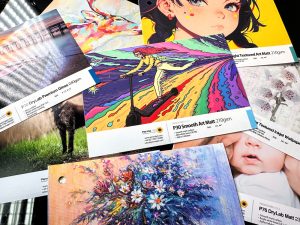
Professional photography printing doesn’t always have to mean premium-priced media. For photographers producing work in volume, supplying galleries or selling...

We’ve all been there. You find the perfect photograph, logo, screenshot or graphic for a project, only to discover that...

Street art can transform an ordinary city street into something completely unexpected. A blank wall can become a huge photorealistic...
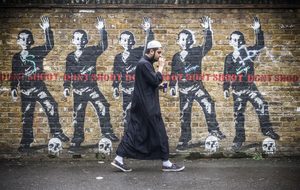
Street art and graffiti are often used interchangeably, but are they really the same thing? Walk through almost any major...
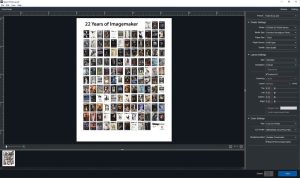
Printing your photographs can be one of the most rewarding parts of the photographic process, but getting a consistent, high-quality...
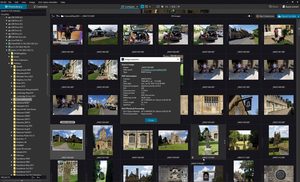
DxO PhotoLab has built a strong reputation among photographers for its sophisticated RAW processing, particularly its noise reduction and optical...
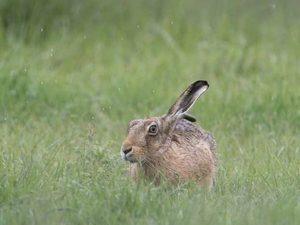
Getting accurate colour and exposure is an important part of producing consistent photographs. While modern cameras are remarkably good at...
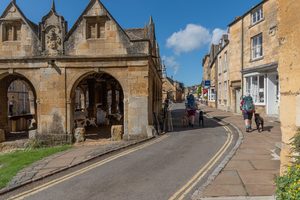
Long-distance trails can offer much more than spectacular landscapes. Photographer Mike McNamee explores how walking routes can provide the framework...
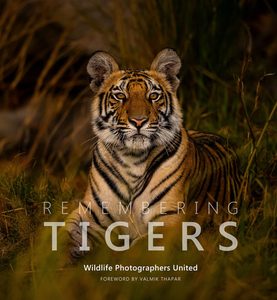
The arrival of a new book in the Remembering Wildlife series is always something to look forward to. With its...
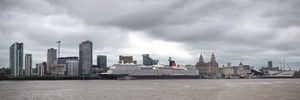
Learn how to shoot panorama photographs with consistent camera settings and process your RAW files for a seamless final image....


The Society of Photographers

Helping photographers improve their photography and build their business. Welcome and open to all worldwide. The Society of Photographers is a long-established international association for photographers, for full-time and aspiring photographers all around the world. We are one of the world’s leading qualifying bodies for photographers. Our members cover a wide range of photographic services, these include wedding photography, newborn, family and lifestyle photography, pet portraits, fashion, travel, commercial, event, press and PR, sports, nature, wildlife, landscape and so much more...
Registered in England & Wales
B.P.P.A. LIMITED
Company Reg 0392 2894
VAT number 790 4289 05