
Luminar Fall Upgrade 2026: New AI Photo Editing Tools and 20% Off Pre-Order Offer

Luminar is set for a major update this autumn, with a redesigned editing experience, improved Generative AI and a range of new tools aimed at making photo editing faster, more intuitive and more creative.
For photographers looking to streamline their post-processing workflow, the upcoming Luminar Fall Upgrade 2026 introduces a collection of new and improved features designed to give photographers greater control over their images while reducing the time spent navigating complex editing tools.
The redesigned version of Luminar promises improved performance, more realistic Generative AI and a smoother editing experience. Photographers can also pre-order the upgrade now and take advantage of a 20% discount using the code BPPA20.
Crop 2.0 makes composition easier
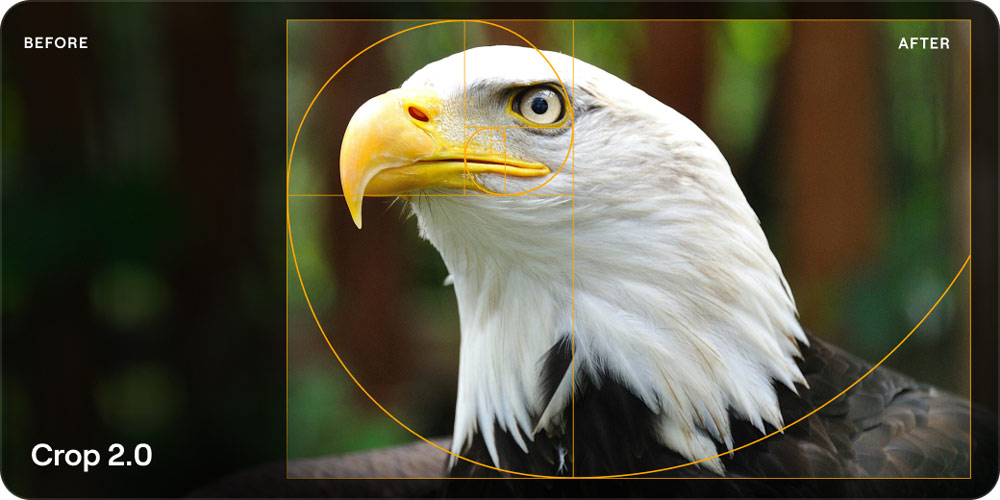
One of the headline additions is Crop 2.0, which is designed to help photographers find stronger compositions more quickly.
Rather than simply cropping an image manually, the new tool analyses a photograph and suggests ready-to-use composition variations. This could prove particularly useful when working with images that have a little more space than necessary or when looking for alternative framing options.
For photographers processing large numbers of images, tools that can speed up the composition process could make a significant difference to the overall editing workflow.
Atmosphere 2.0 brings more realistic fog
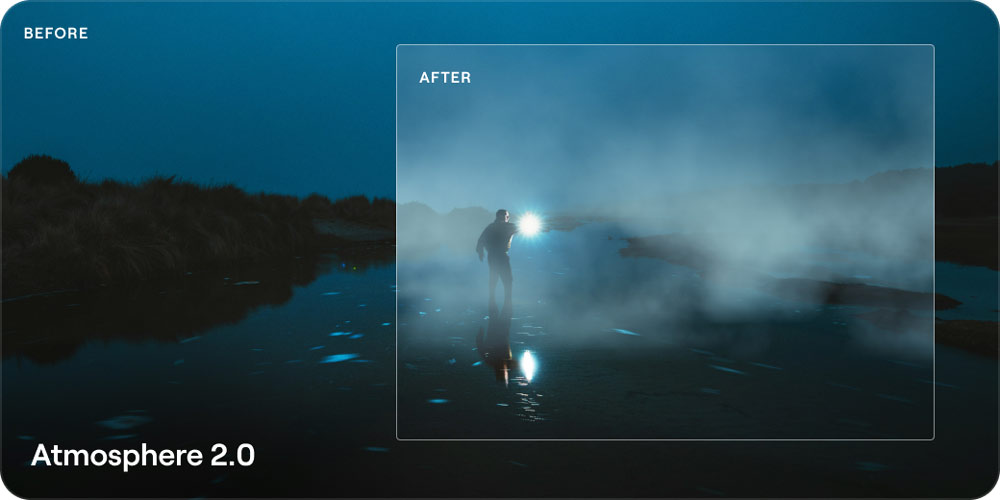
Luminar’s Atmosphere 2.0 is also being introduced as part of the Fall Upgrade.
The updated tool is designed to create more realistic fog and atmospheric effects, taking factors such as light, colour and depth into account. Photographers can use it to introduce anything from a subtle haze through to a much more dramatic foggy atmosphere.
The aim is to make atmospheric effects feel more naturally integrated into the original photograph rather than simply appearing as an overlay.
Improved AI Assistant

AI continues to be a major part of Luminar’s development, and the upgraded AI Assistant is designed to make the editing process even more accessible.
The AI Assistant can work across more than 20 tools, allowing photographers to describe what they want to achieve rather than manually searching through menus and individual adjustment controls.
For photographers who want to experiment with AI-assisted editing while still having control over the final image, this could provide a quicker way to build an edit.
More powerful and flexible masking
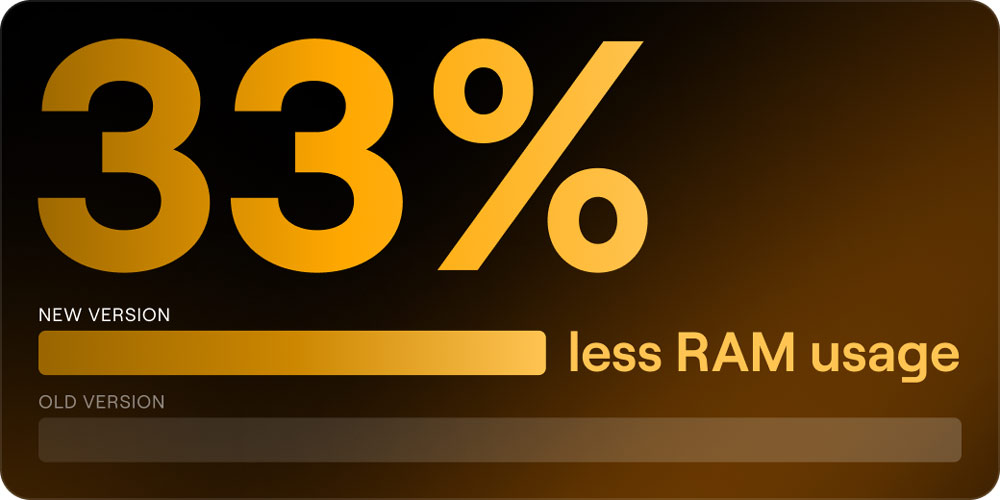
Masking is another area receiving an update.
The new Improved Masking tools provide fully editable masks alongside smarter AI selections and additional Add, Subtract and Intersect controls. These options are intended to give photographers more precise control over local adjustments and complex edits.
Luminar also says that masking now uses 33% less RAM, potentially helping to improve performance when working with more demanding images and detailed selections.
Print directly from Luminar
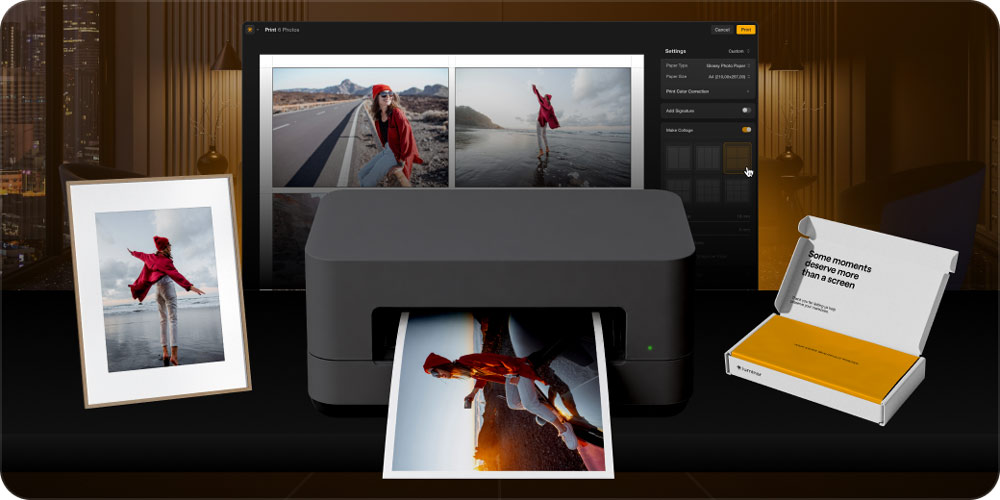
While much of modern photography is consumed digitally, printing remains an important part of the photographic workflow.
The new Printing functionality allows photographers to print directly from Luminar using either a home printer or a professional photo lab, without having to export images and move between different applications.
That creates a more direct workflow from editing the original photograph through to producing a physical print.
Luminar on the web
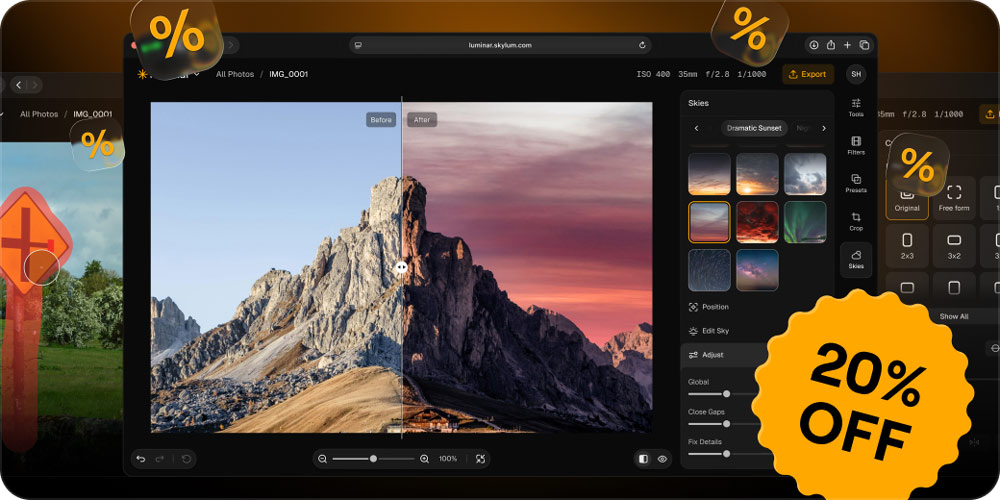
Another significant development is Luminar on Web, allowing photographers to edit images directly through a browser without installing the desktop application.
The browser-based workflow means photographers can access their editing environment from virtually anywhere, potentially making Luminar more useful for photographers who work across multiple computers or locations.
For photographers who regularly travel, work on location or use different devices, browser-based editing could provide additional flexibility.
A redesigned Luminar for photographers

Taken together, the new features represent a broader redesign of Luminar rather than simply another collection of individual editing tools.
The focus is on making photo editing faster, easier and more intuitive, while continuing to expand Luminar’s use of artificial intelligence.
The combination of AI-assisted editing, improved masking, automated composition suggestions, atmospheric effects, direct printing and browser-based editing gives photographers a wide range of options for taking an image from its original capture through to the finished result.
The Luminar Fall Upgrade 2026 is currently available to pre-order, with the pre-order offer providing what Skylum describes as its lowest price of the year.
Members and readers can also use the code BPPA20 to receive 20% off.
Pre-order Luminar and claim 20% off with code BPPA20
The new features are scheduled to arrive as part of the Luminar Fall Upgrade 2026, giving photographers the opportunity to secure the upcoming tools ahead of the autumn release.