How to Improve Your Photography Website SEO and Get More Enquiries
By Jeff Brown
Your photography website has two important jobs.
First, it needs to attract the right visitors.
Second, it needs to turn those visitors into enquiries, bookings or customers.
A beautiful website that nobody finds isn’t doing enough for your business. Equally, a website that attracts hundreds of visitors but gives them no reason to get in touch isn’t working as hard as it could.
For photographers, the most effective website strategy is therefore a combination of search visibility, compelling content, trust and clear calls to action.
Think of the journey as:
Get found → Create desire → Build trust → Encourage action
Here are six practical ways to improve your photography website and generate more opportunities from the visitors you already have.
1. Give Your Photography Website a Clear Purpose
Before worrying about SEO, ask yourself a simple question:
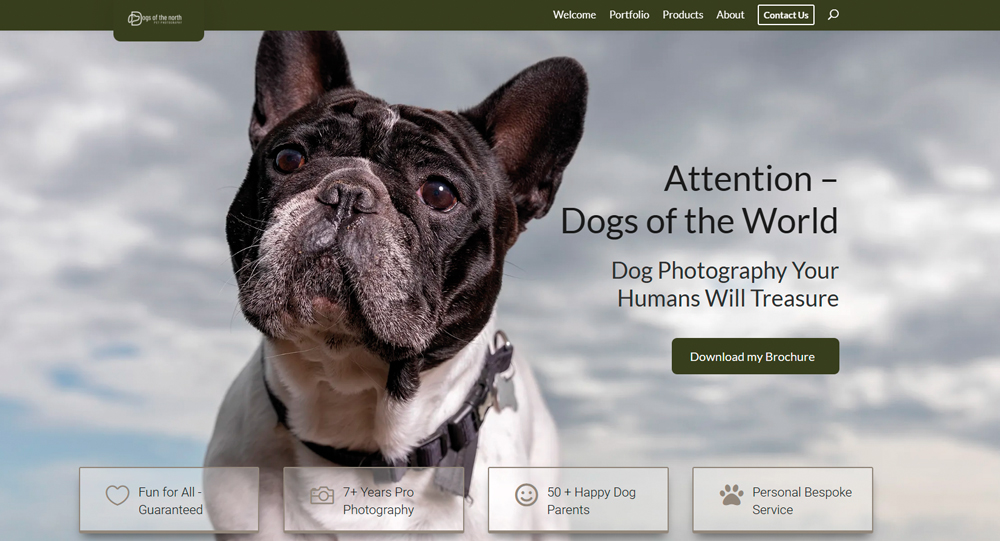
What do I want someone to do when they visit my website?
Your website might be designed to encourage visitors to:
- Book a photography session
- Arrange a consultation
- Request a quote
- Make an enquiry
- Buy a voucher
- Book a studio appointment
- Download your pricing guide
- Join your email list
There isn’t necessarily one correct answer.
A wedding, commercial or personal branding photographer may want visitors to arrange a consultation before discussing a booking.
A headshot or portrait photographer with a straightforward session fee might make direct online booking more appropriate.
The important thing is that the desired action is clear.
Don’t make visitors work out what to do next
A visitor shouldn’t have to search through your website to find your contact details or discover how to book.
Make your next step obvious.
Instead of relying on a small “Contact” link hidden in your navigation, consider calls to action such as:
Book Your Consultation
Check Availability
Request a Quote
Book Your Session
View Our Photography Packages
The wording should match what happens next.
If clicking the button takes somebody to a contact form, don’t promise that they can “Book Now” unless they really can complete a booking.
2. Use Clear Calls to Action Throughout Your Website
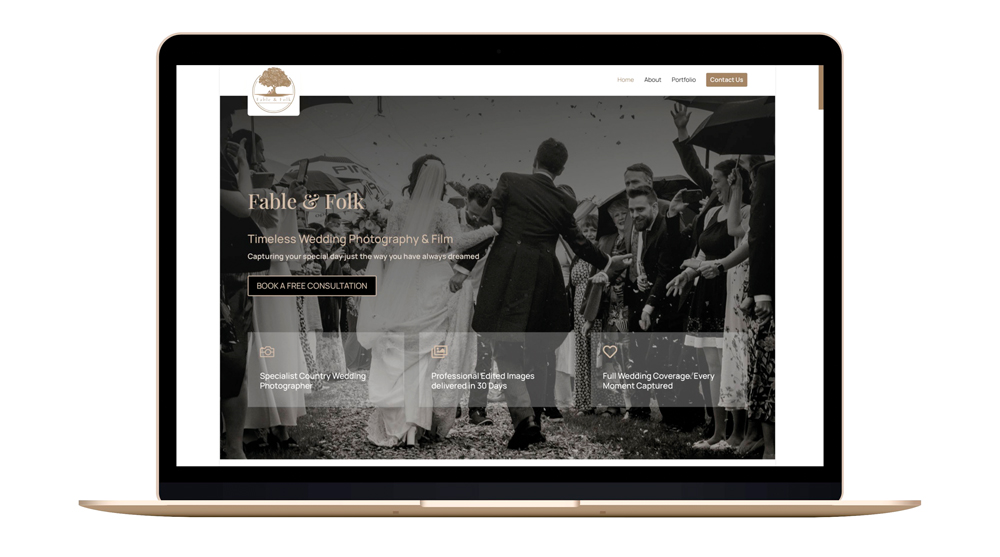
Once you’ve decided what action you want visitors to take, make it easy to find.
A visitor might arrive on your homepage, look at some images, read a little about you and then scroll further.
Don’t assume they’ll automatically know what to do next.
Repeat your primary call to action naturally throughout the page.
For example, a wedding photographer might have:
Check Your Wedding Date
A personal branding photographer might use:
Book a Branding Consultation
A commercial photographer could use:
Discuss Your Photography Project
A portrait photographer might use:
Book Your Portrait Session
The call to action should reflect the customer’s stage in the buying process.
Give visitors more than one opportunity to connect
Not everyone who visits your website is ready to book immediately.
Some people may be researching photographers.
Others may be comparing options.
Some may love your work but need to speak to a partner before making a decision.
Give these visitors another way to stay connected.
You could offer:
- A useful photography guide
- A downloadable brochure
- A planning guide
- A consultation
- An email newsletter
- A voucher
- A pricing guide
The principle is simple:
Don’t make every visitor choose between booking immediately or leaving.
3. Sell the Benefits of Your Photography
Photographers naturally concentrate on their photographs.
That’s understandable — the images are the product of our skill.
But your clients aren’t necessarily buying photographs simply because they’re photographs.
They’re buying what those photographs do for them.
A family may want beautiful wall art that reminds them of a particular stage of their children’s lives.
A couple may want photographs that allow them to relive their wedding day.
A business may need professional images that make its products look more desirable.
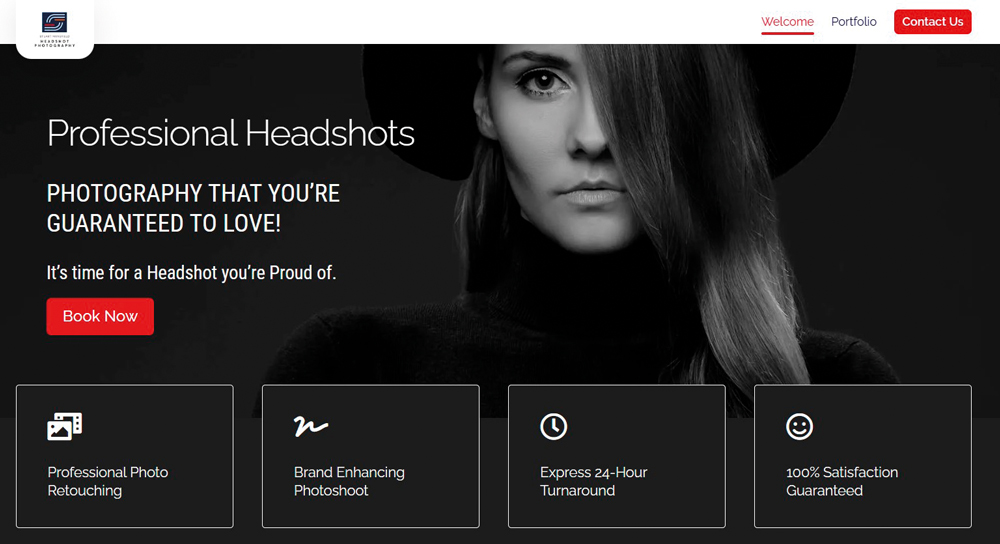
An executive may need a headshot that creates a strong first impression.
A company may need commercial photography that helps its brand stand out.
The photograph is the solution.
The benefit is why the client wants the solution.
Show the end result
If you sell wall art, don’t only show photographs of people.
Show the finished artwork.
If you sell albums, show beautifully presented albums.
If you offer personal branding photography, demonstrate how the images can be used across a website, social media and marketing materials.
If you photograph products, explain how professional images can help a business present its products more effectively.
Your website should help potential clients imagine what life or business will be like after working with you.
4. Use Video Where It Adds Value
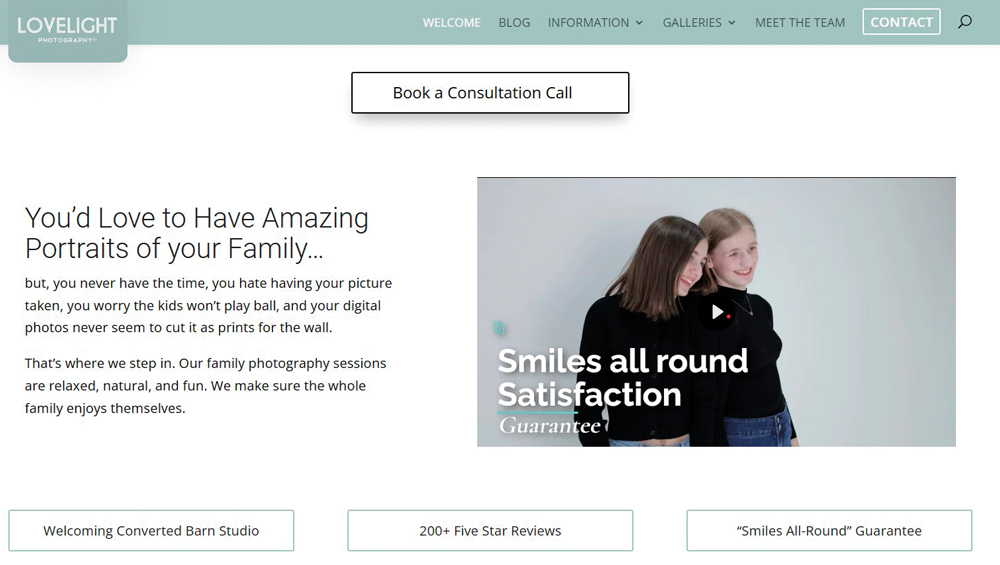
Video can be an excellent way of communicating your photography service quickly.
A short video can show things that are difficult to communicate through still images and text alone:
- What a session feels like
- How you work with clients
- Your studio environment
- Behind-the-scenes preparation
- The photography experience
- Your finished products
- Albums and wall art
- How images are used commercially
For example, a portrait photographer could show the journey from arriving at the studio, through the shoot and image selection, to seeing the finished wall art.
That tells a much bigger story than a gallery of photographs alone.
Don’t make the video simply an advert about yourself
The most useful question isn’t:
“What do I want to say about myself?”
It’s:
“What does my potential client need to understand?”
Use video to remove uncertainty and demonstrate the experience.
And don’t assume that video automatically improves your Google ranking simply because it exists. Its real value is that it can improve understanding, engagement and the overall user experience when it is genuinely useful.
Make sure the page remains fast, accessible and easy to use, particularly on mobile devices.
5. Put Your Testimonials Where People Will See Them
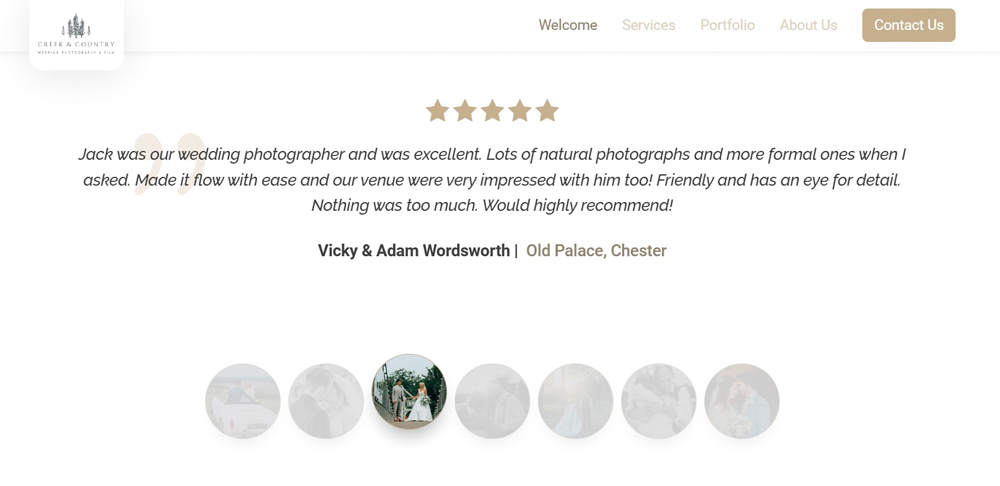
Testimonials are one of the most powerful forms of social proof available to a photographer.
But there’s little benefit in collecting dozens of fantastic reviews if they’re hidden on a page that few visitors ever reach.
Your strongest testimonials should appear where they support the customer’s decision.
That could include:
- Your homepage
- Service pages
- Wedding photography pages
- Portrait pages
- Pricing pages
- Consultation pages
- Contact pages
- Product pages
For example, if you’re talking about your portrait experience and immediately follow it with a client’s description of how comfortable and enjoyable the session was, the testimonial reinforces the message.
Likewise, a testimonial beside information about your albums or wall art can help demonstrate the value of those products.
Use specific testimonials
Compare:
“Amazing photographer. Highly recommended!”
with something that explains what actually happened:
“We were nervous about having our photographs taken, but the whole session was relaxed and fun. We absolutely love the finished images.”
The second gives a potential client useful information.
Whenever possible, testimonials should describe the experience, problem, result or benefit.
Always obtain appropriate permission before publishing a client’s testimonial, name or photograph.
6. Make Your FAQs Useful for Search and Clients
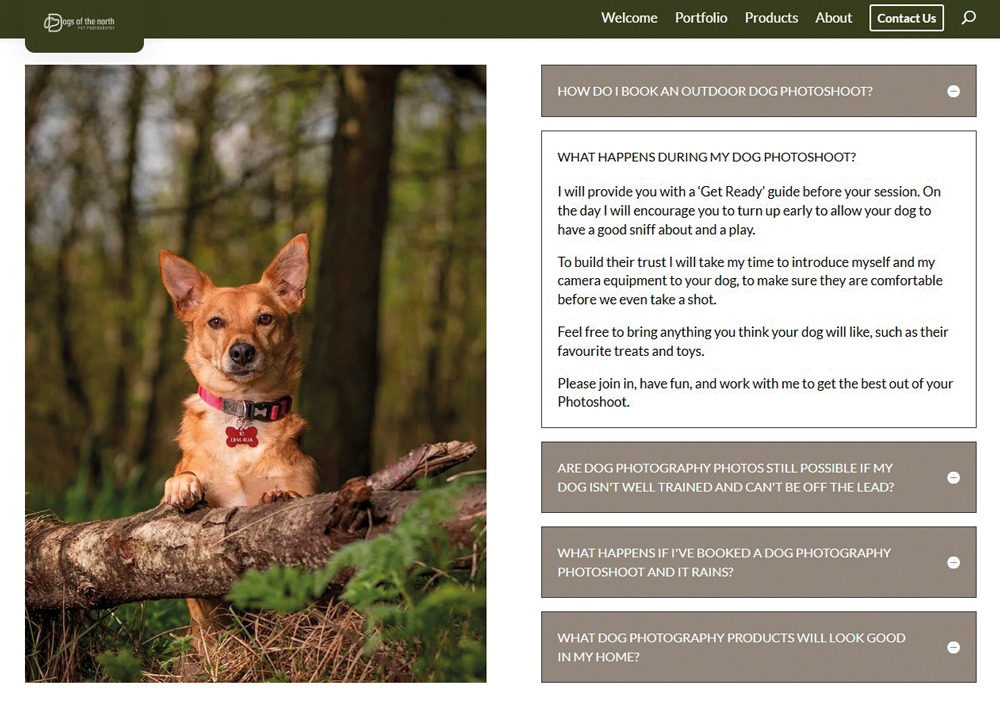
Frequently asked questions can be valuable for two reasons.
They answer the questions potential clients actually have, and they give you an opportunity to create useful content around relevant search topics.
The key is to make your questions specific.
Instead of:
How long is your coverage?
A wedding photographer could ask:
How long does wedding photography coverage usually last?
Instead of:
How much are your sessions?
A personal branding photographer could use:
How much does a personal branding photography shoot cost?
Instead of:
Where are you based?
Consider:
Where do you offer wedding photography in North Wales?
The more specific question provides much more context.
Start with the questions your clients actually ask
Don’t invent dozens of FAQs simply to fill a page.
Look at:
- Questions in your emails
- Questions asked during consultations
- Questions on enquiry calls
- Search queries that bring people to your website
- Questions clients repeatedly ask before booking
These are often the best subjects for your website.
You can also enter a question into Google and look at related searches to discover other ways people phrase the same problem.
But write the answers for people first, not search engines.
A useful FAQ that genuinely answers a potential client’s question is much more valuable than a collection of awkward keyword-filled questions.
How to Improve Your Photography Website SEO
The six ideas above focus heavily on converting visitors, but attracting those visitors in the first place requires a sound SEO foundation.
Create pages around what your clients search for
One of the biggest SEO mistakes photographers make is building a website almost entirely around their own name and portfolio.
Your potential clients may not be searching for you yet.
They may be searching for:
- Wedding photographer in Manchester
- Family photographer in Chester
- Personal branding photographer in London
- Commercial food photographer
- Professional headshots in Liverpool
- Newborn photographer in North Wales
Your website needs relevant pages and useful content that reflect the services and locations you genuinely serve.
Give important pages descriptive titles
Your page title should tell search engines and visitors what the page is about.
For example:
Jane Smith Photography
is less informative than:
Wedding Photographer in Chester | Jane Smith Photography
Don’t try to put every possible keyword into a title.
Be specific and accurate.
Write useful content around your specialist areas
A strong photography website isn’t just a portfolio.
It can also demonstrate expertise.
If you’re a wedding photographer, you might create useful articles about:
- Wedding photography planning
- How long wedding photography takes
- Choosing a wedding photographer
- Wedding group photographs
- Engagement sessions
- Preparing for wedding photographs
A commercial photographer could create content about:
- Product photography
- Food photography
- Brand photography
- Corporate headshots
- Using photography in marketing
- Preparing products for a commercial shoot
This type of content can attract people who are researching their needs before they’re ready to contact a photographer.
Don’t forget local SEO
For photographers working with local clients, geographical relevance can be extremely important.
Make it clear:
- Where you’re based
- Which areas you serve
- Which services you provide
- Where you photograph
- How clients can contact you
Create genuinely useful location pages where appropriate, rather than producing dozens of near-identical pages with different town names substituted into the text.
Your Google Business Profile and consistent business information across the web can also support local visibility.
Make your website easy to use on mobile
Many potential clients will discover your photography through a smartphone.
Your website should therefore:
- Load quickly
- Work properly on smaller screens
- Have readable text
- Make buttons easy to tap
- Display images correctly
- Make contact details easy to find
- Avoid intrusive pop-ups
- Provide a straightforward enquiry process
A visually impressive website that is frustrating to use on a phone can lose potential clients before they ever reach your contact page.
Your Photography Website Should Work as a Sales Journey
The strongest photography websites aren’t simply online portfolios.
They guide visitors through a journey.
1. Get found
Use relevant pages, useful content and sound SEO practices to attract the right visitors.
2. Create desire
Show your photography and communicate the experience and benefits of working with you.
3. Build trust
Use testimonials, credentials, case studies, behind-the-scenes content and clear information.
4. Remove uncertainty
Answer common questions and explain exactly what happens next.
5. Encourage action
Give visitors a clear and relevant way to enquire, book or make contact.
6. Stay connected
For visitors who aren’t ready yet, provide an appropriate way to continue the relationship.
A Simple Photography Website Checklist
Take a look at your homepage and ask:
- Is it immediately obvious what type of photographer I am?
- Is it clear where I work?
- Does my website communicate who my ideal client is?
- Is my best work visible quickly?
- Do I explain the benefits of my service?
- Is there a clear call to action?
- Can visitors easily contact me?
- Can they book or arrange a consultation if appropriate?
- Are testimonials visible?
- Do I answer common client questions?
- Does the website work well on mobile?
- Are my important pages optimised around genuine search topics?
- Do I have useful content beyond my portfolio?
- Is there a way for visitors who aren’t ready to book to stay connected?
- Does every important page have a clear next step?
If several answers are “no”, you probably don’t need a completely new website.
You may simply need to make the website you already have work harder.
Your Website Is a Marketing Tool
Your photography website should certainly look professional.
But looking good isn’t enough.
Its real purpose is to help your business attract the right people, demonstrate the value of your photography, build trust and generate enquiries.
Think beyond the gallery.
Think about the complete customer journey:
Search → Website → Desire → Trust → Enquiry → Consultation → Booking
When those stages work together, your website becomes much more than a collection of beautiful photographs.
It becomes one of the most important marketing tools in your photography business.