How to Turn a Photo Into a Painterly Portrait in Photoshop
By Tom Lee
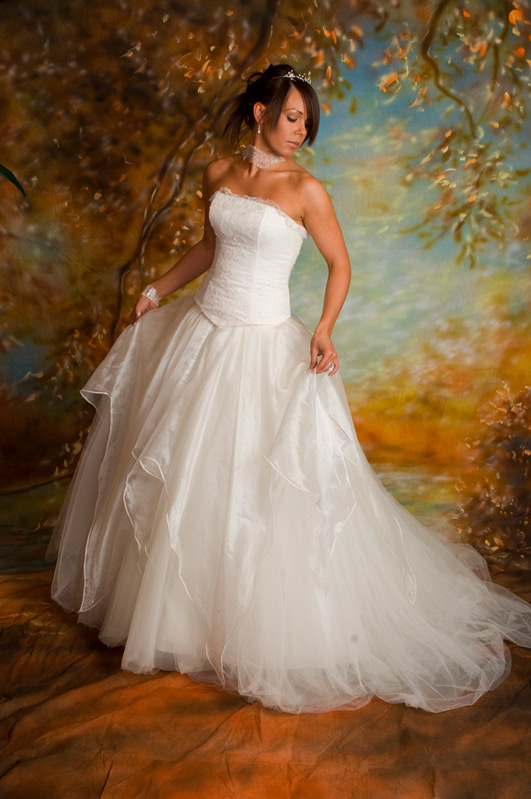
Not every photograph needs to remain a photograph.
For wedding and portrait photographers in particular, there are times when a strong image can be taken a step further and turned into something that feels more like artwork.
One approach is to combine the original photograph with a painterly treatment. The result sits somewhere between a photograph and a painting, retaining important photographic detail while introducing the texture and character of painted artwork.
It can work particularly well for a favourite wedding portrait, a family photograph or an image intended for a large wall print.
The technique doesn’t have to be complicated. The important part is knowing when to stop.
Start with a strong photograph
The quality of the finished artwork will depend heavily on the photograph you start with.
Choose an image that already works as a portrait.
Look for good composition, attractive light and a clear subject. A photograph that is weak to begin with won’t necessarily become stronger simply because it has been given a painterly effect.
This is particularly important with wedding photography. The finished artwork should still look like the couple, and important details such as eyes, expressions, jewellery and clothing should remain recognisable.
The effect should enhance the photograph rather than hide it.
Work on a duplicate
Before applying any major effects, create a duplicate of the original image.
This gives you a safety net and, more importantly, allows you to combine the original photograph with the painterly version later.
The idea behind this technique is quite simple:
One layer provides the painting. Another provides the photographic detail.
By blending the two, you can control exactly how much of each appears in the finished image.
Create the painterly version
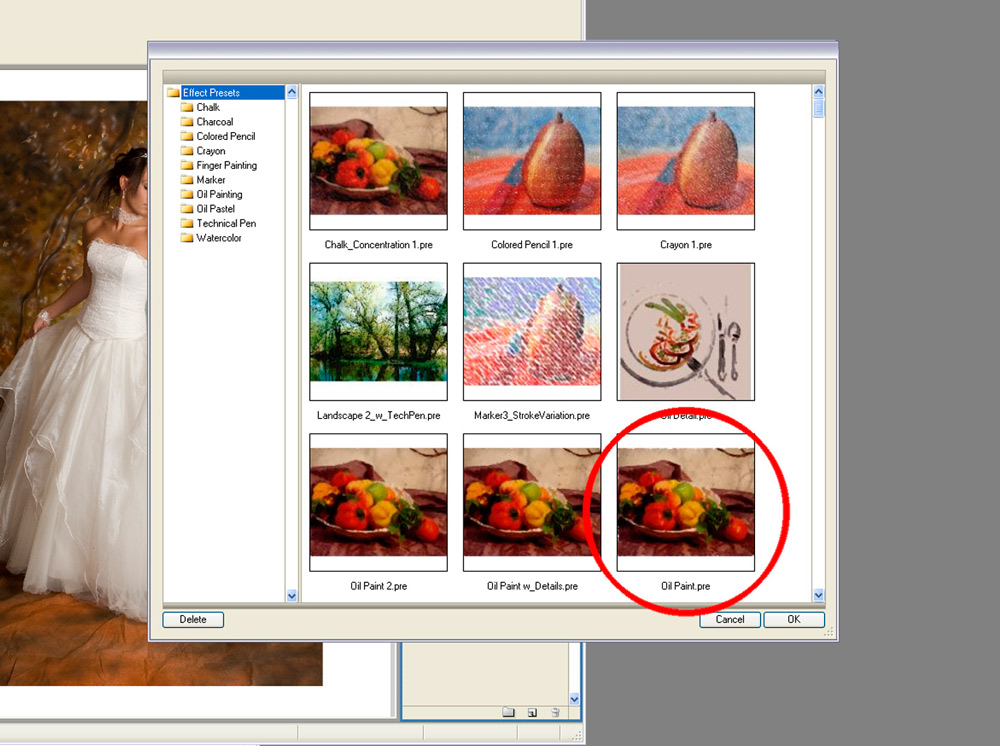
Photoshop has various filters and tools that can be used to create painterly effects. The exact options available change over time, so there is no need to rely on one particular plug-in or preset.
The aim is to create an image with visible brushwork, texture and simplified detail rather than trying to produce a perfect imitation of a traditional painting.
Experiment with the settings.
You may find that a subtle effect works better than an extremely strong one. It is tempting to push a painting filter until the photograph barely resembles the original, but that isn’t necessarily what you want.
For a portrait, retaining some recognisable photographic detail can make the finished result much more convincing.
Don’t try to make everything look painted
This is where the technique becomes more interesting.
Once you have created your painterly version, place it above or below the original photograph as a separate layer in Photoshop.
You can then use the opacity of the layers to combine the two.
Reducing the opacity of the original photograph allows some of the painted texture to show through. Increasing it brings back more photographic detail.
There is no magic percentage.
The right balance depends on the image and the effect you are trying to achieve.
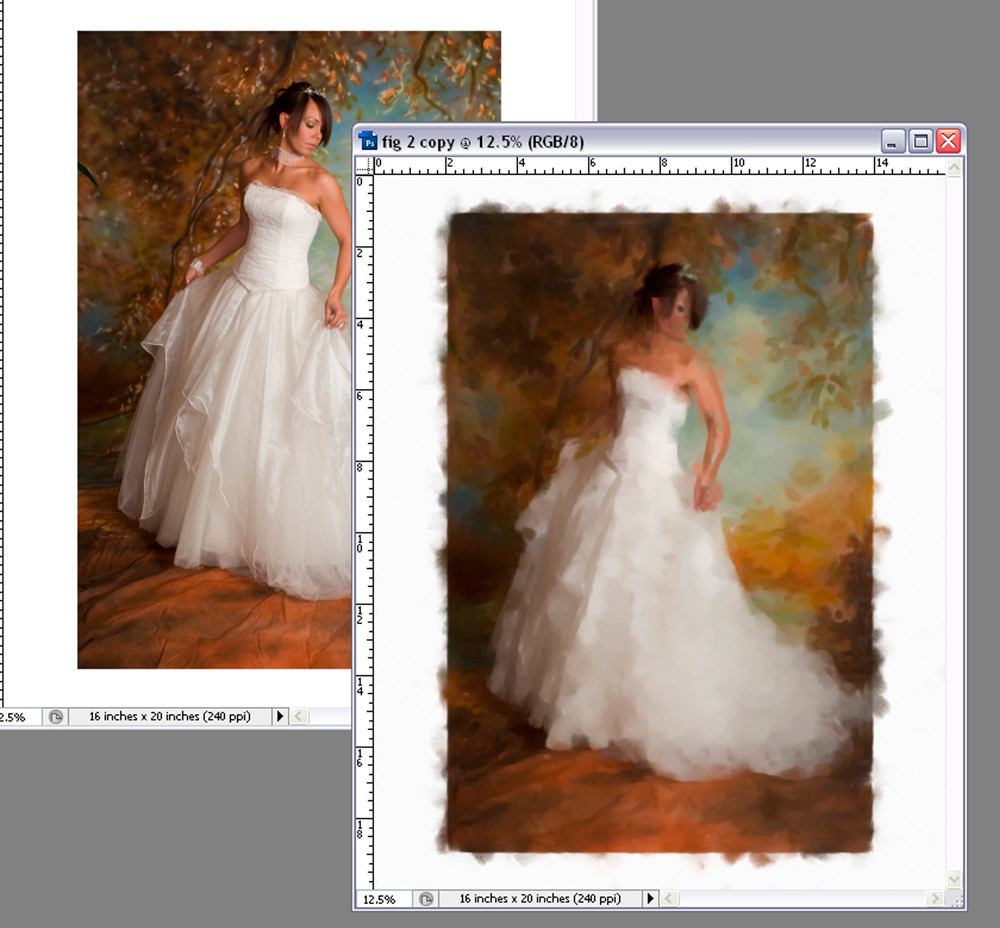
The aim is to find a point where the photograph still has enough detail to feel intentional, while the painterly layer adds texture and atmosphere.
Bring back the important details
Some parts of a portrait benefit from remaining relatively photographic.
Eyes are an obvious example.
You may also want to retain detail in jewellery, facial features, clothing or other elements that are important to the photograph.
Layer masks are particularly useful here.
Instead of permanently erasing parts of a layer, use a mask to reveal or conceal the areas you want. This gives you much more control and means you can change your mind later.
Work gradually.
A soft brush with low opacity can allow you to reveal detail progressively rather than creating an obvious transition between painted and photographic areas.
This is one of the reasons working with layers and masks is preferable to simply applying an effect directly to the original image.
Be careful around the edges
The transition between the photograph and the painterly treatment can easily become too obvious.
Hard edges can make the effect look like a filter that has simply been applied to part of an image.
A softer transition usually feels more natural.
You can use a layer mask with a soft brush to blend areas together, or use selections with a feathered edge where appropriate.
The objective isn’t to make the technique invisible. The viewer should be able to see that the image has been transformed.
But the effect should feel like a deliberate piece of artwork rather than a collection of Photoshop tricks.
Consider the background separately
The background can have a major influence on the finished effect.
A detailed background may become distracting once a painterly treatment is applied. Conversely, a simple background can work beautifully with visible brush texture.
Don’t feel that every part of the image needs exactly the same treatment.
You might allow the background to become much more painterly while retaining greater detail around the subject.
This can also help direct attention towards the face.
Don’t overdo the colour
Colour can be adjusted after the two layers have been combined, but restraint is often useful.
A small increase in saturation can make a painterly image feel richer, but pushing the colours too far can quickly make the effect look artificial.
Consider the final print as well.
A photograph that looks dramatic on a bright monitor may look quite different when reproduced on canvas or textured paper.
If the artwork is being produced for a client, always consider how the chosen treatment will work at the intended print size and on the intended material.
Think about the finished product
One reason this technique can work particularly well for wedding and portrait photographers is that the final image doesn’t have to compete with the rest of the client’s photographs.
A wedding album might contain hundreds of images that document the day. A painterly portrait can be something different: a feature image designed specifically for display.
It might be produced as:
- a large canvas
- a framed print
- a textured fine-art print
- an album feature
- a piece of wall art
The treatment therefore becomes part of the presentation rather than simply another editing effect.
Keep the photograph underneath
One of the biggest advantages of this workflow is that you don’t have to choose between a photograph and a painting.
You can have both.
Keep the original photograph available underneath the artwork layer and use masks and opacity to control the balance.
If the face has become too soft, reveal more of the original.
If the effect isn’t strong enough in the background, allow more of the painterly layer to show.
If an important detail has disappeared, bring it back selectively.
This makes the process much more flexible than applying one effect to the entire image and accepting whatever comes out.
Know when to stop
Creative editing can quickly become addictive.
Once you have discovered an effect that produces an interesting result, it is easy to keep adding more texture, more colour and more processing.
Try stepping away from the image for a few minutes and then looking at it again.
Ask yourself whether the additional editing is genuinely improving the artwork.
The best result may be considerably more subtle than the most dramatic version.
Remember that the purpose of the technique is to create something distinctive for the client, not to demonstrate how many Photoshop effects you can use.
Create something that still feels like your photography
The most successful treatments usually begin with a strong photograph and retain something of the photographer’s original style.
The painterly effect should be another tool in your creative process, not a replacement for good photography.
Get the composition, lighting and expression right first. Then use Photoshop to take the image somewhere different.
That combination of strong photography and controlled post-processing can turn a favourite portrait into something that feels genuinely different from a conventional photograph.
And that is the real attraction of this technique: you’re not simply making a photograph look like a painting.
You’re creating another interpretation of the photograph.